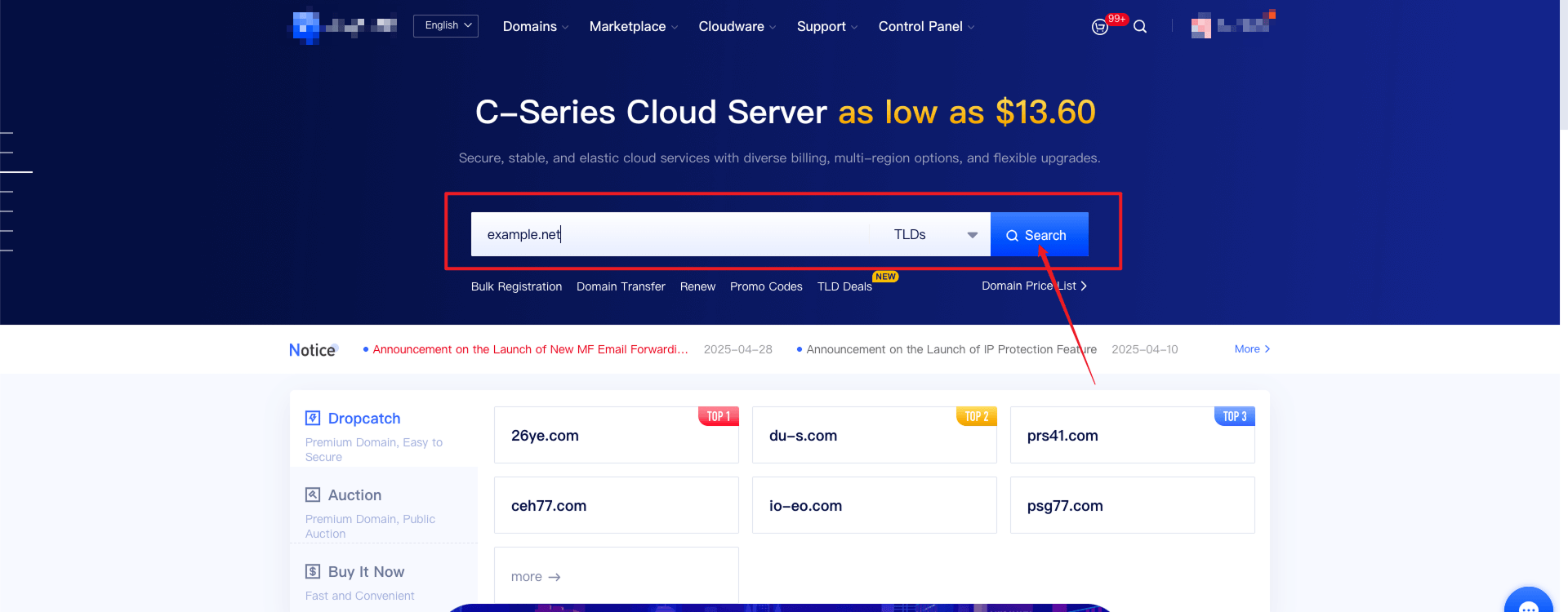
1. Log in to the homepage of our website, enter the domain name you wish to register, click on "Search", and proceed to the domain name search results page.
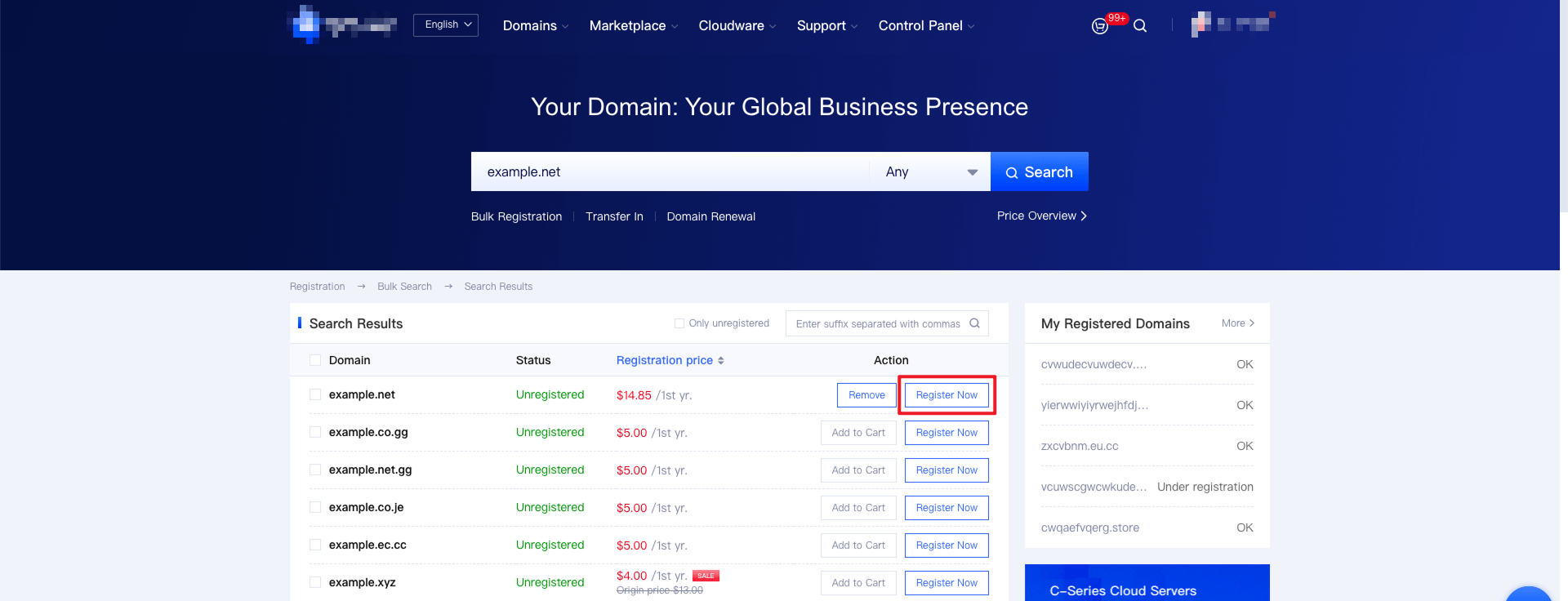
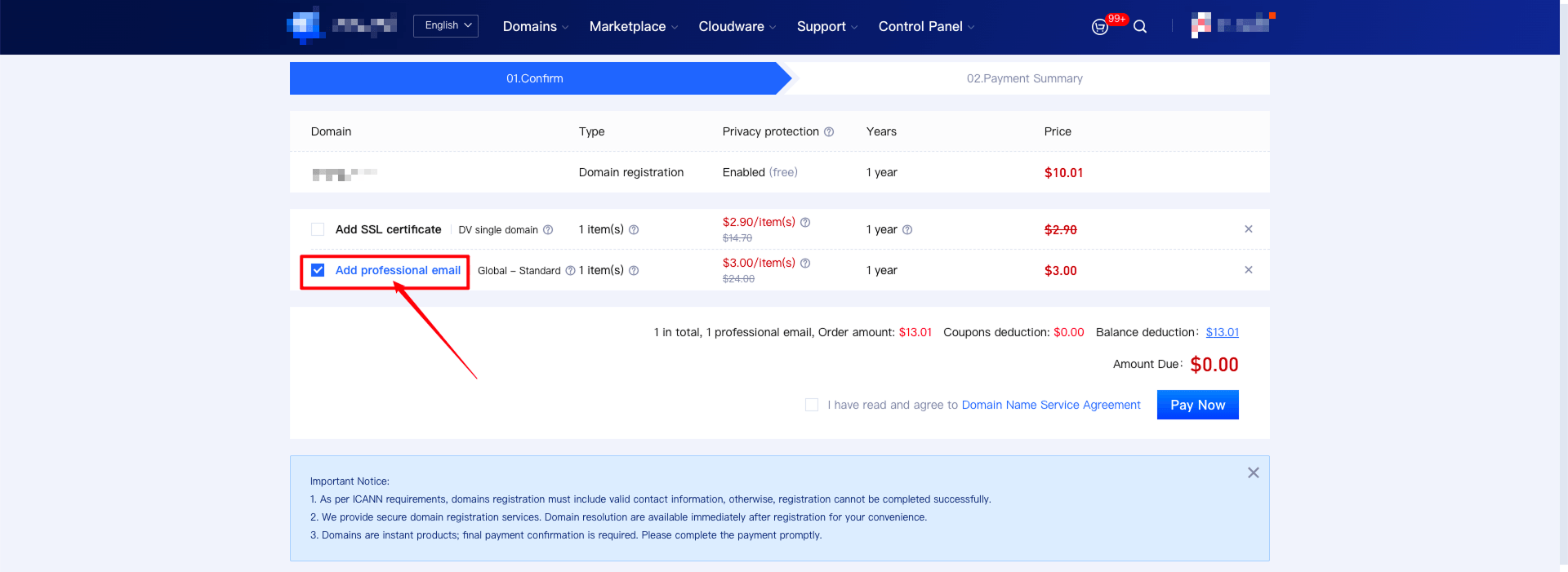
2. Click "Register Now" to enter the checkout page, select "Add Corporate Email" as an add-on, and click "Confirm Checkout" to complete your participation in purchasing the corporate email at the price of $3.00.
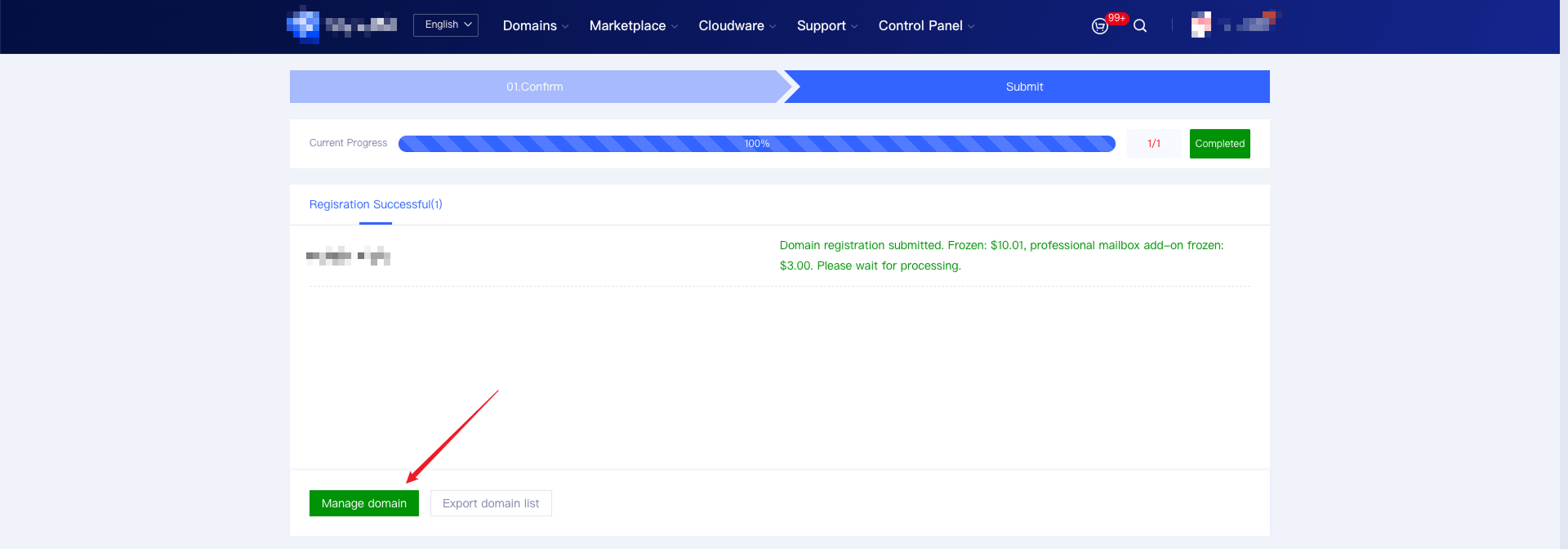
3. After successful domain registration, the system will automatically activate the corporate email and configure DNS resolution, which typically takes 1-3 minutes to take effect. (The DNS resolution records must be retained during the email usage period; otherwise, the email will not function properly.)
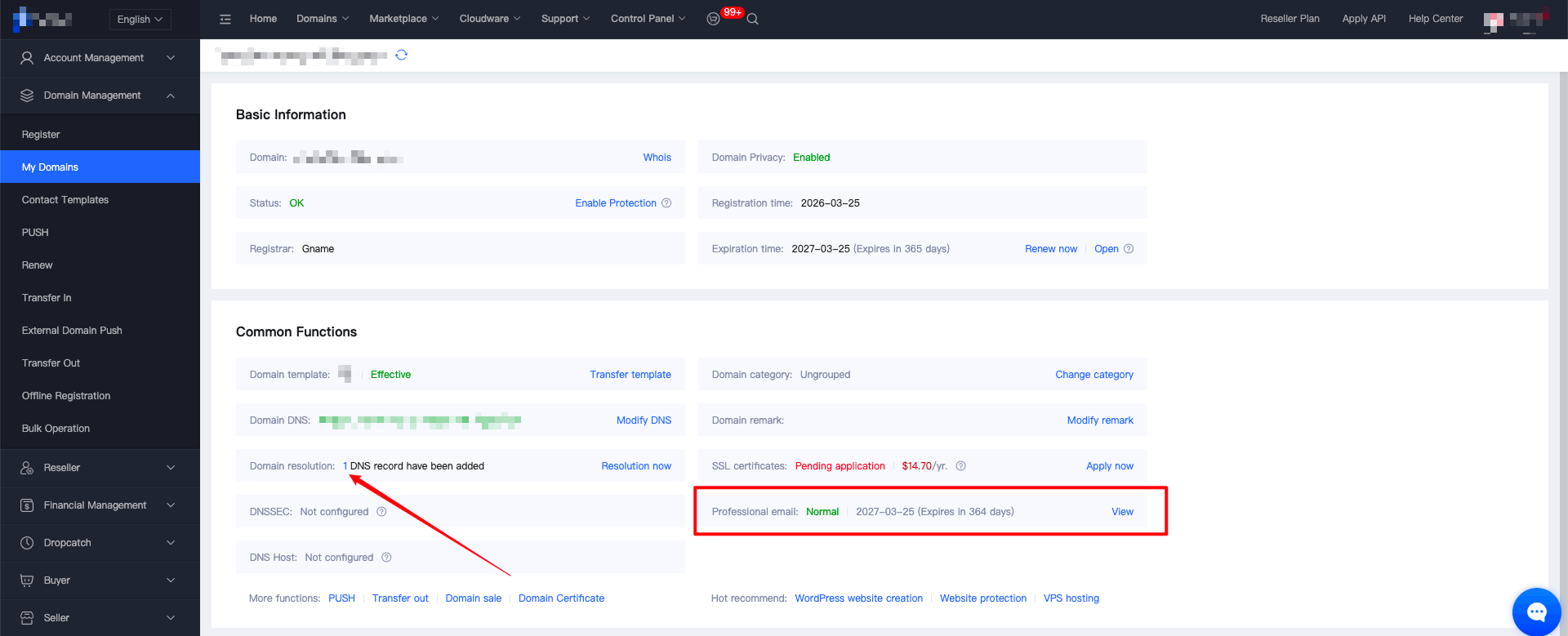
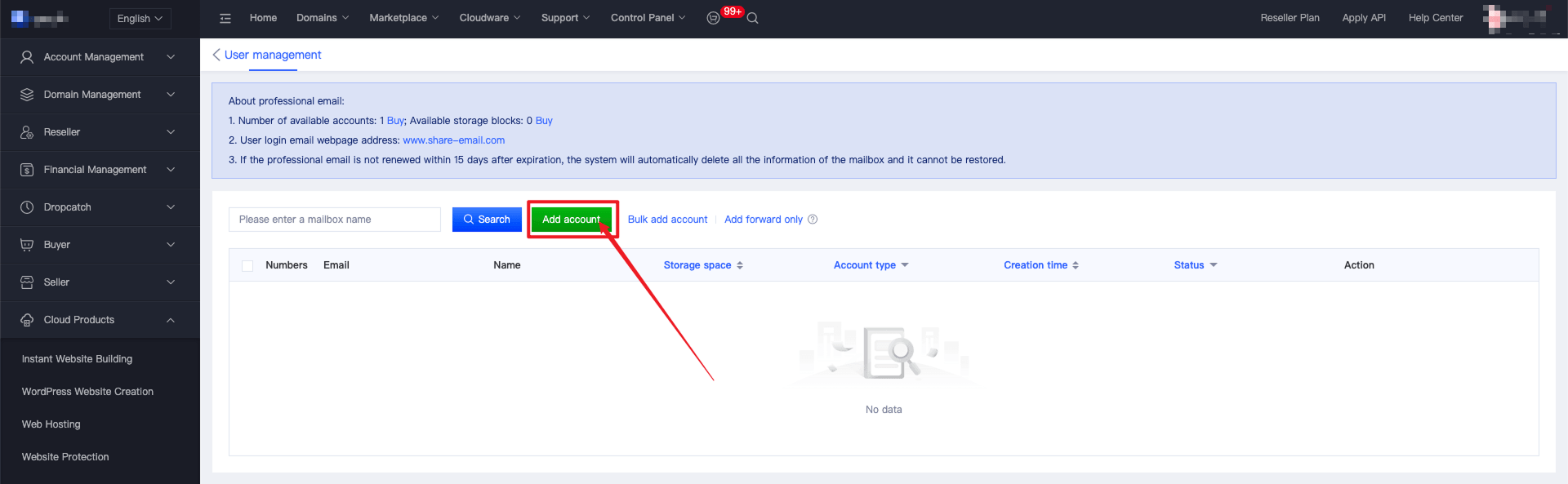
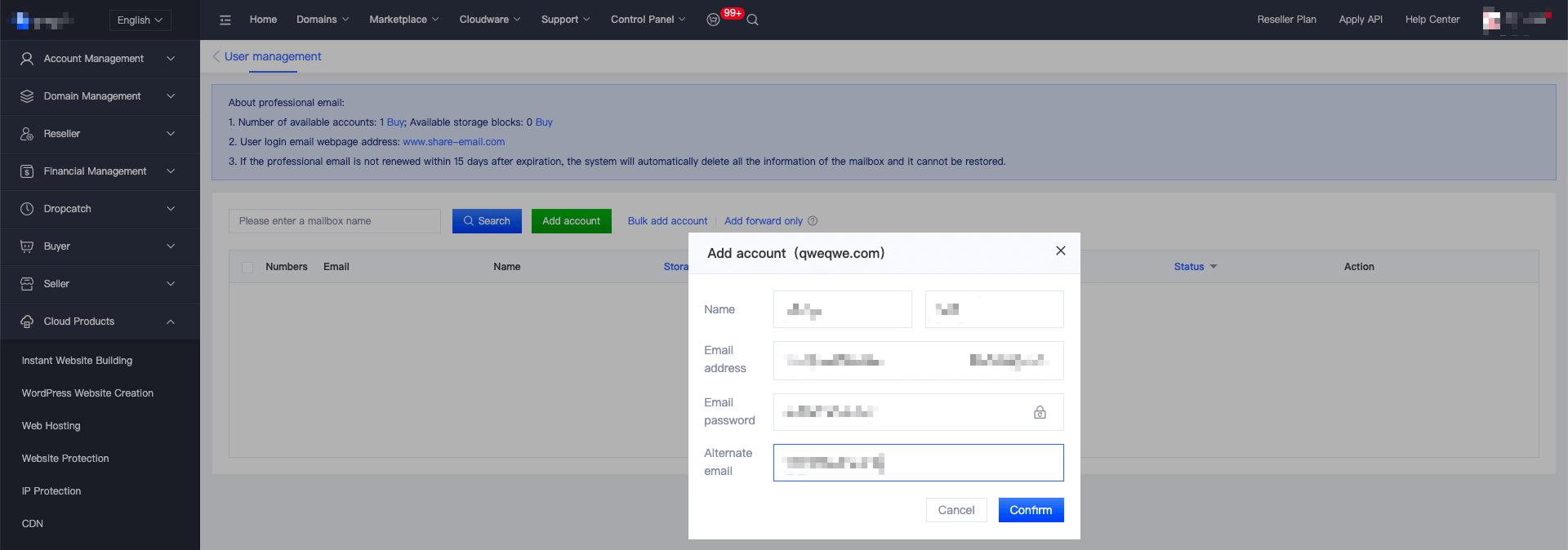
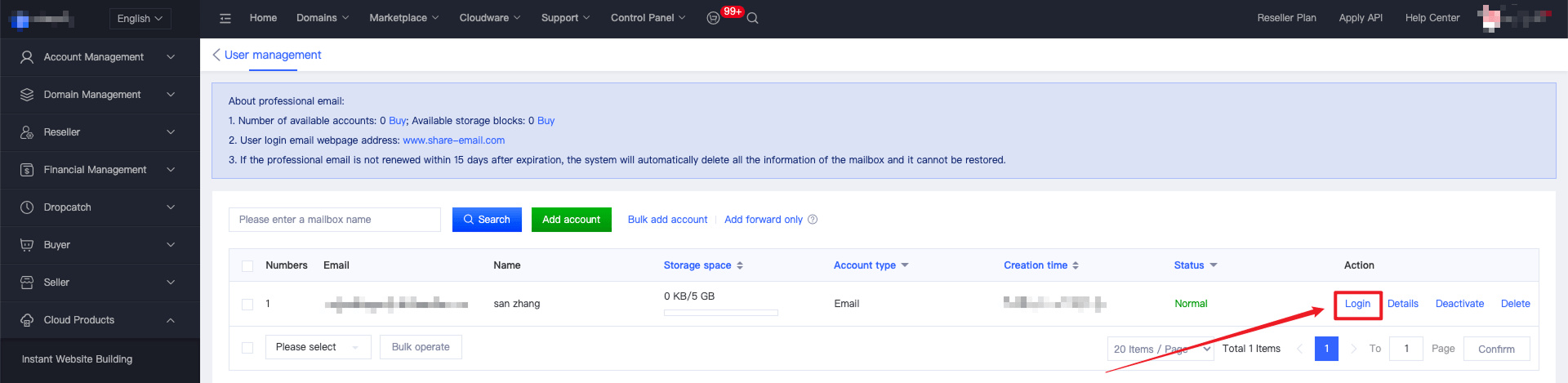
4. Enter the email management page, add email accounts, and then you can log in and use them.
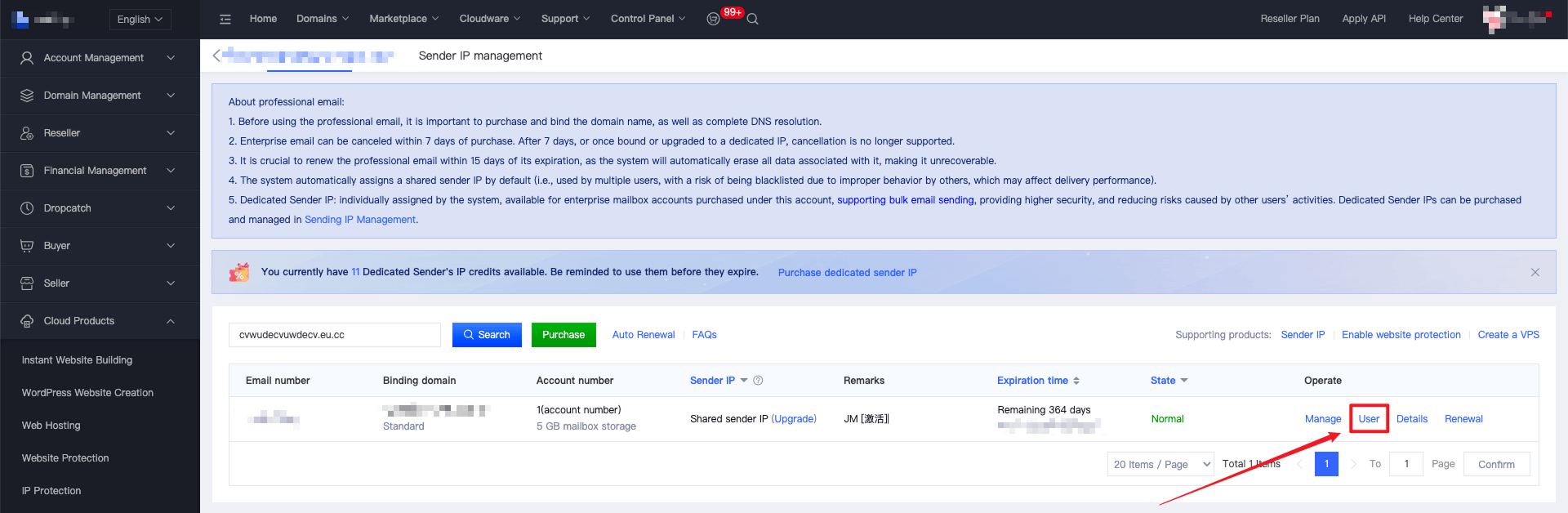
5. For the enterprise email account purchased this time, the system will give you a new purchase voucher worth $28.00 for a dedicated sending IP. Click "Purchase Dedicated Sending IP" and the system will automatically deduct $28.00.
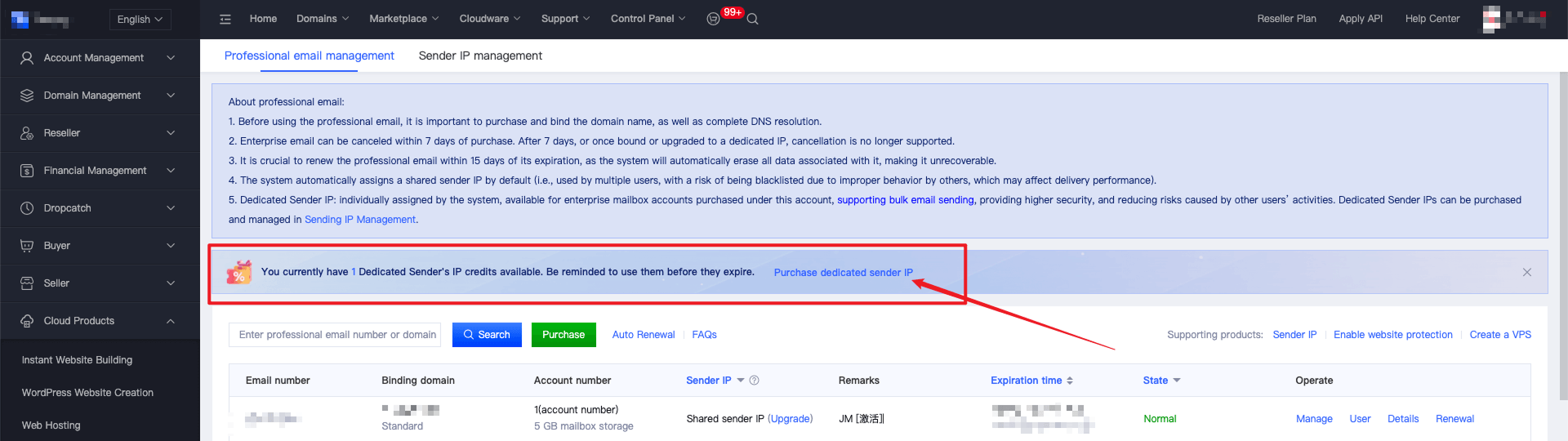
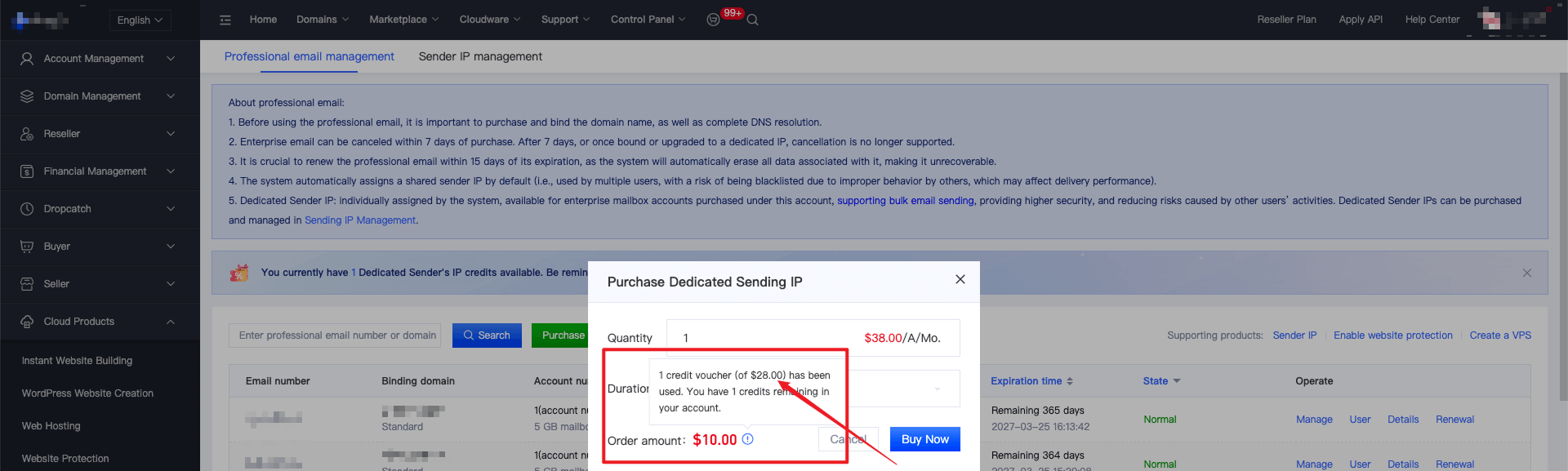
Note: For each enterprise email purchase, the system will give you a $28.00 dedicated sending IP purchase discount coupon. The coupon is valid for 30 days and will expire after that. It can only be used for this account and can be used to purchase dedicated sending IPs. Only one coupon can be used per dedicated sending IP.