External domain inbound allows you to PUSH a domain from its current registrar account to our designated account at the same registrar. After the PUSH is completed, the domain is added to our domain inventory and assigned to your account ID. Once inbound is complete, you can manage and trade the domain on our platform without transferring it to a different registrar. Inbound can be completed on the same day, with no need to wait seven days. It is a fast, convenient, and cost-effective option!
Instructions:
Step 1: Open the Free Inbound Page
Log in to your account on our platform. In the top navigation, select [Domains ] - [Monday Free Inbound] to open the promotion page.

Step 2: Check Domains and Submit an Inbound Request
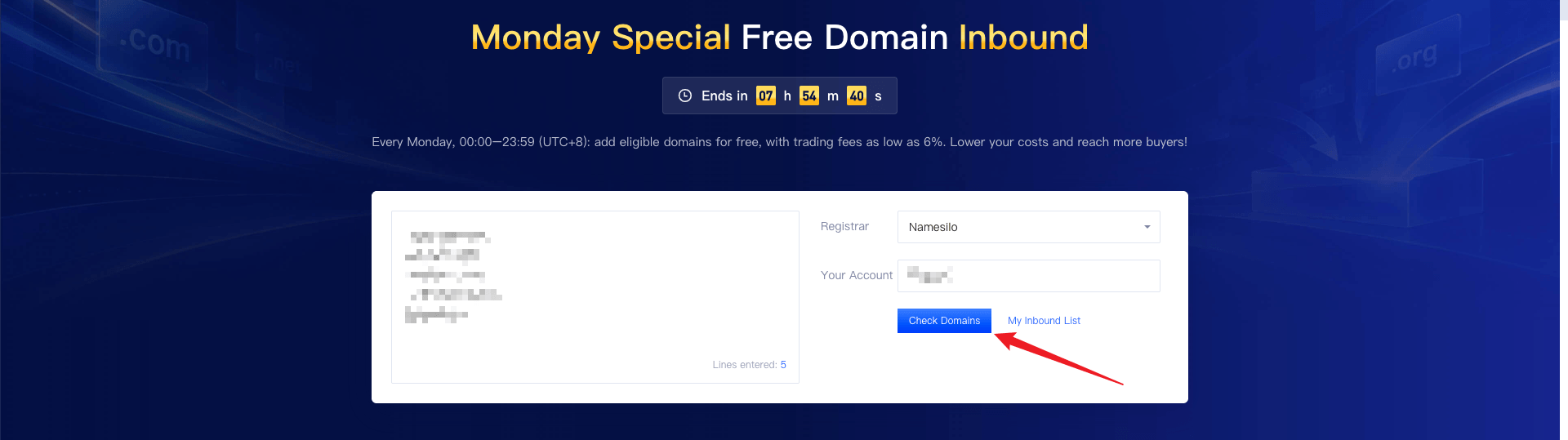
Enter the domains you want to add, select their current registrar, and enter the account ID at that registrar. Click [Check Domains] to see whether each domain is eligible.
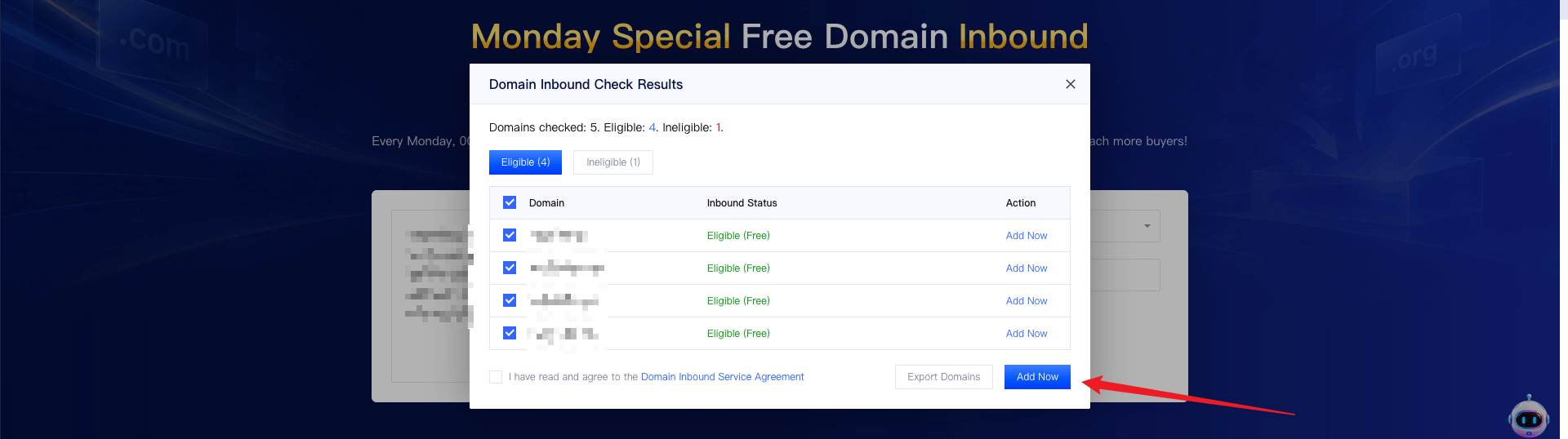
In the results, select domains marked [Eligible] and click [Add Now] to submit your request. Once submitted, the designated PUSH receiving account at the selected registrar will be displayed.
Step 3: Complete the PUSH at the Original Registrar
Log in to your account at the domain’s current registrar and locate the domains included in your request. Follow the registrar’s instructions to PUSH the domains to the designated receiving account provided by our platform at no cost (0 fee). Double-check the receiving account details.
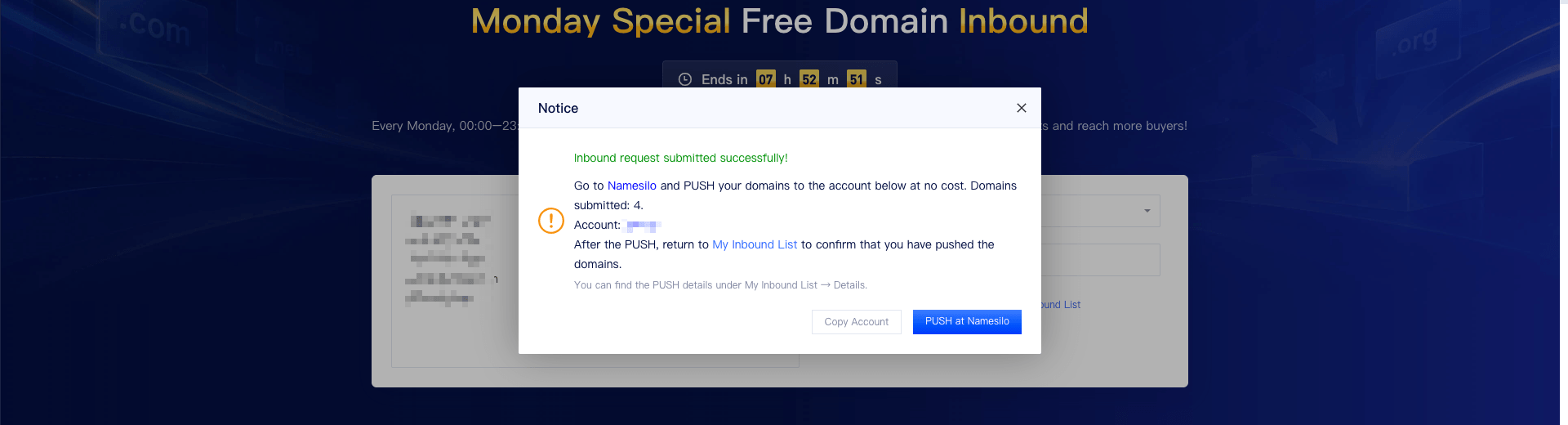
Step 4: Return to Our Platform and Confirm the PUSH
After completing the PUSH, return to [My Inbound List], locate the relevant request, and click [I Have PUSHed]. The domain will be added once our platform has received and processed it.
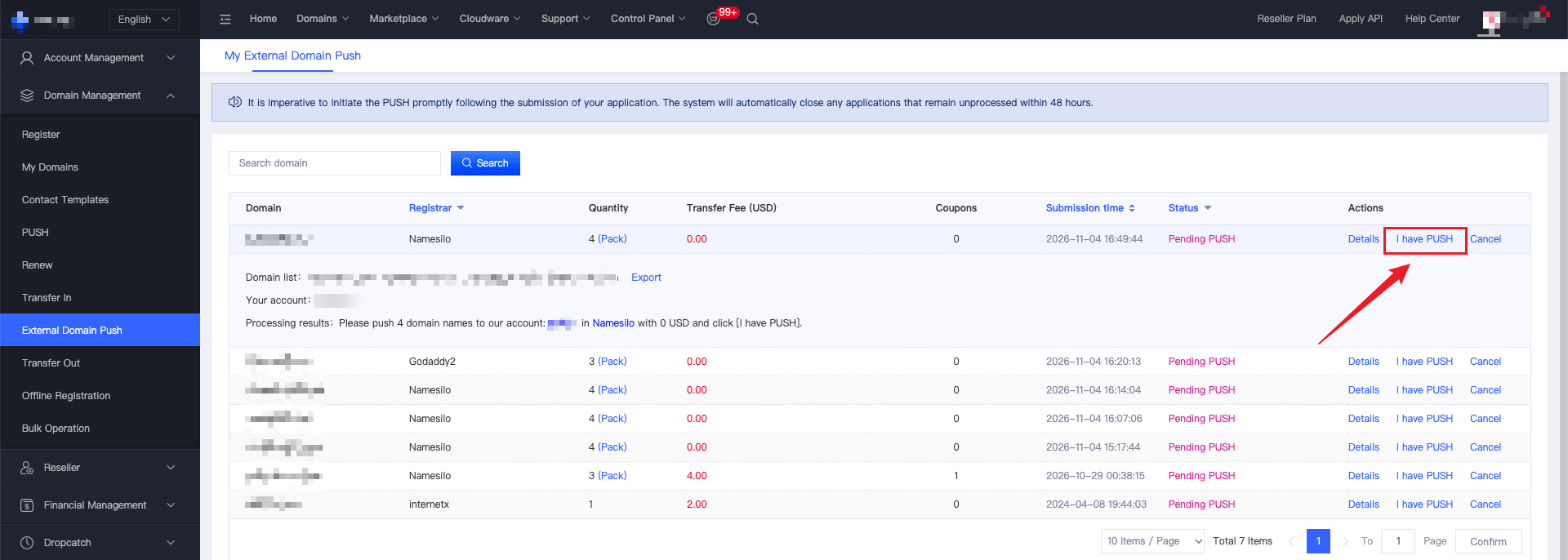
Once inbound is successful, you can manage your domains and use the available trading services on our platform.
Important Notes
1. Inbound requests are accepted only on Mondays, from 00:00 to 23:59 (UTC+8). Inbound is unavailable at all other times.
2. Only designated registrars and eligible domain extensions are supported. Refer to the results displayed on the page for eligibility.
3. The domains you actually PUSH must match the domains in your submitted inbound request.
4. Always PUSH domains to the designated receiving account provided by our platform, not to any other account.
5. After completing the PUSH, return to [My Inbound List] and click [I Have PUSHed]. Submitting an inbound request does not mean that inbound is complete.