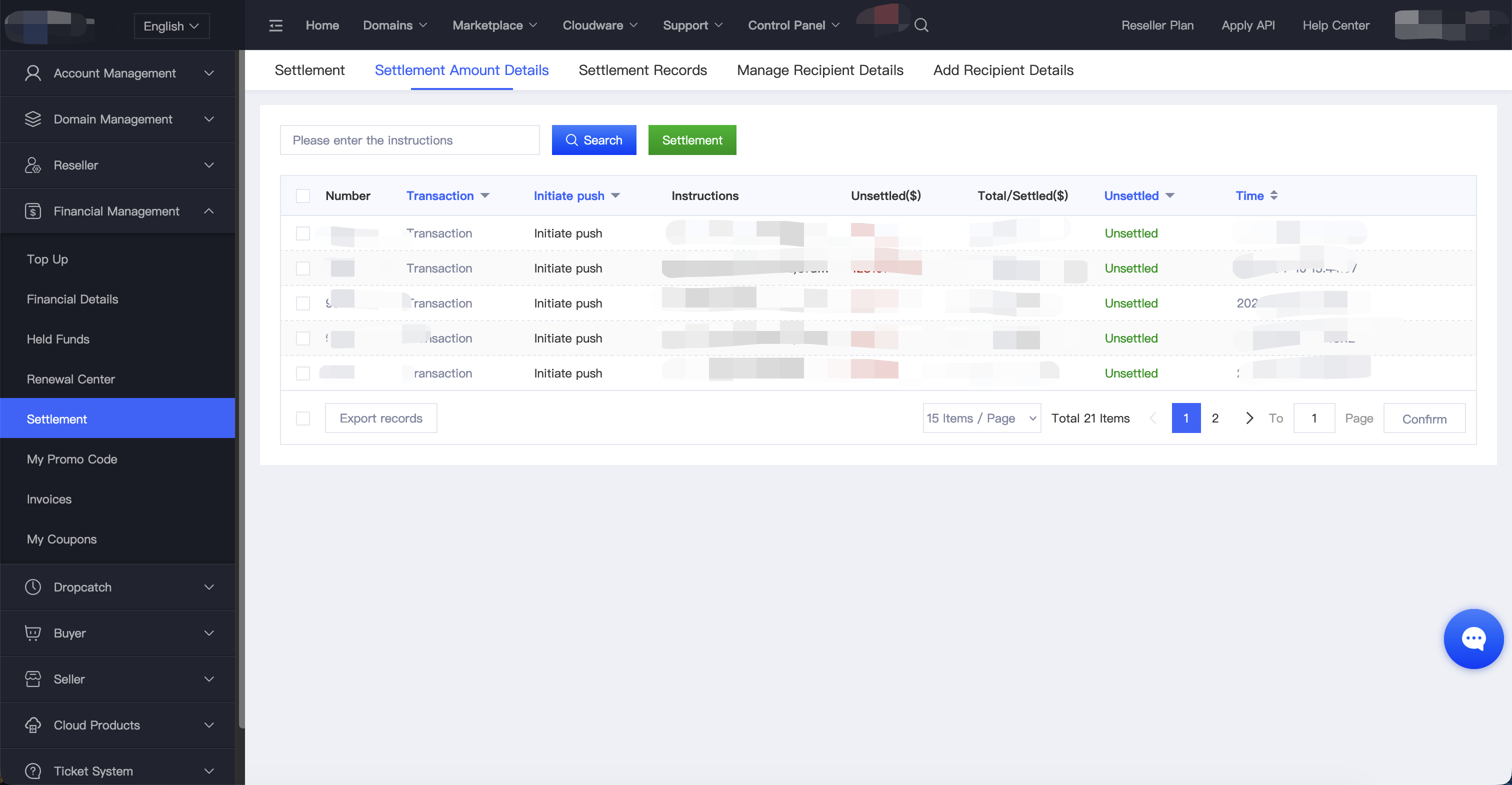
I. After the payment is credited to your Pending Settlement balance, you can view it under Settlement → Settlement Details.
Note: Settlement requests are usually reviewed within 3 business days. Once the review is approved, you can proceed with the settlement.
II. On the Settlement page, you can choose one of the following settlement methods:
1. Settle to Account Balance
- No minimum or maximum settlement amount
- No settlement fee
- Funds are credited instantly
- The balance can only be used for purchases on this platform and cannot be withdrawn or settled again
2. Settle to a Payment Account
- PayPal
- Bank Wire Transfer
- UnionPay
- Cryptocurrency
- And more
Important:
Before using this option, you must create a payout account and complete the verification process. Verification typically takes 2 business days.
Once approved, payout account information cannot be edited or deleted.
To avoid delays in settlement, we recommend creating your payout account in advance.
After your settlement request is fully approved, the payout is typically processed within 3–5 business days.
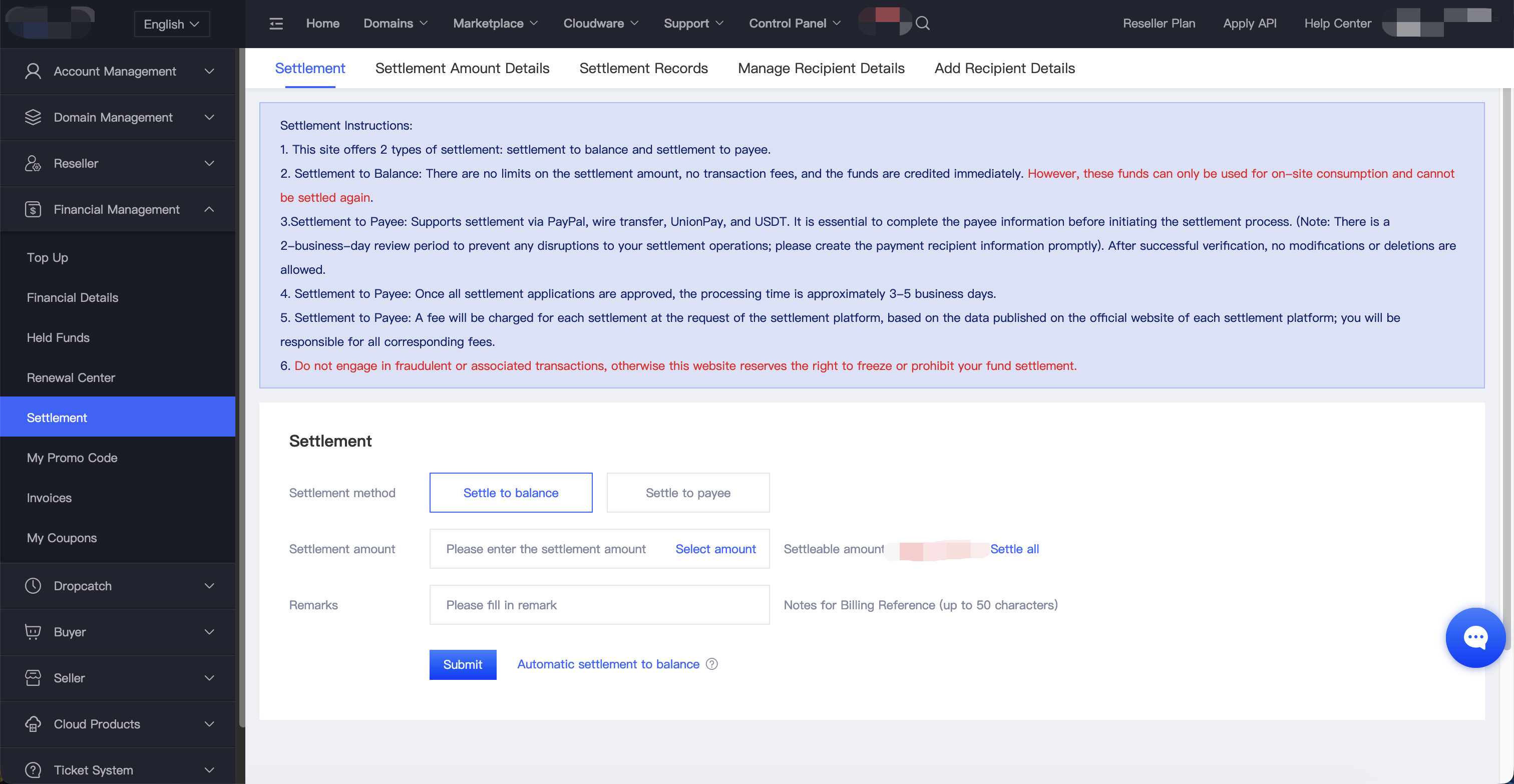
III. Enter or select the settlement amount, verify the details, and click Settle Now to submit your request.