


To ensure the security of your account, it is necessary to configure the Security Center settings, including the security email, security phone number, and MFA Authenticator(two-step verification).
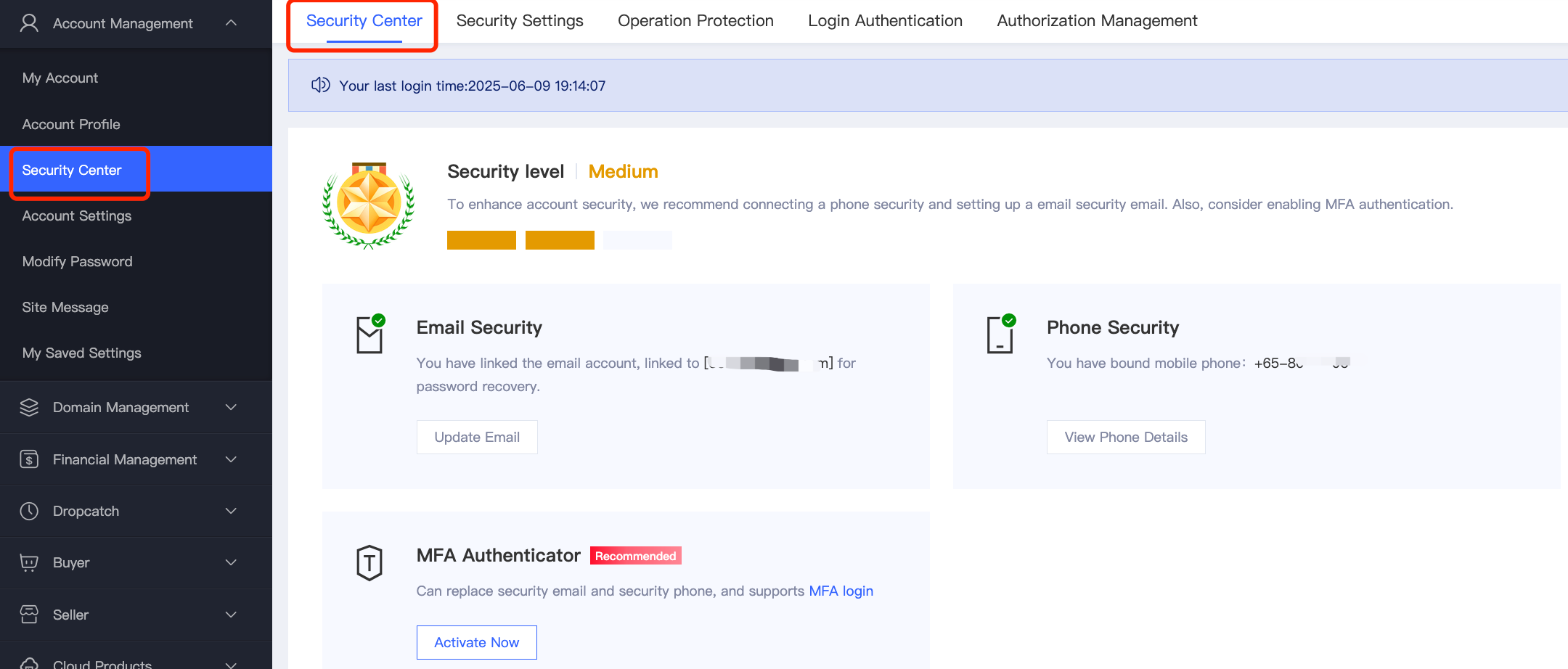
1. Setting Up a Security Email: When registering an account, email verification is required. Upon successful verification, the email address will be linked as your security email.
2. Modifying the Security Email:
(1) When the security email is accessible:You must first disable the account's Operation Protection feature. Then, follow the on-screen instructions to receive a verification code at your current security email. After verification, enter the new email address you wish to bind. A verification code will be sent to the new email; confirm the change by entering the code.
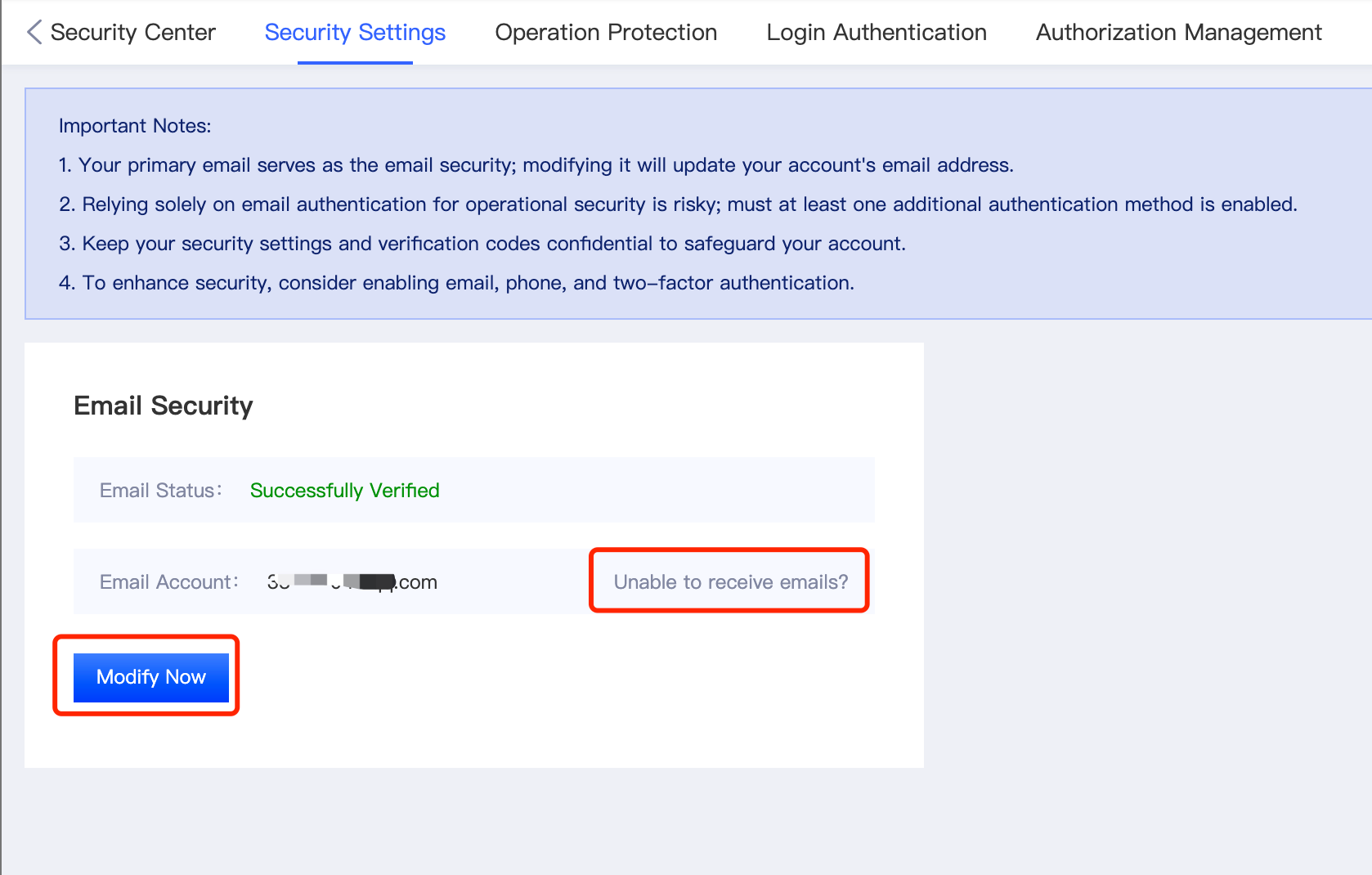
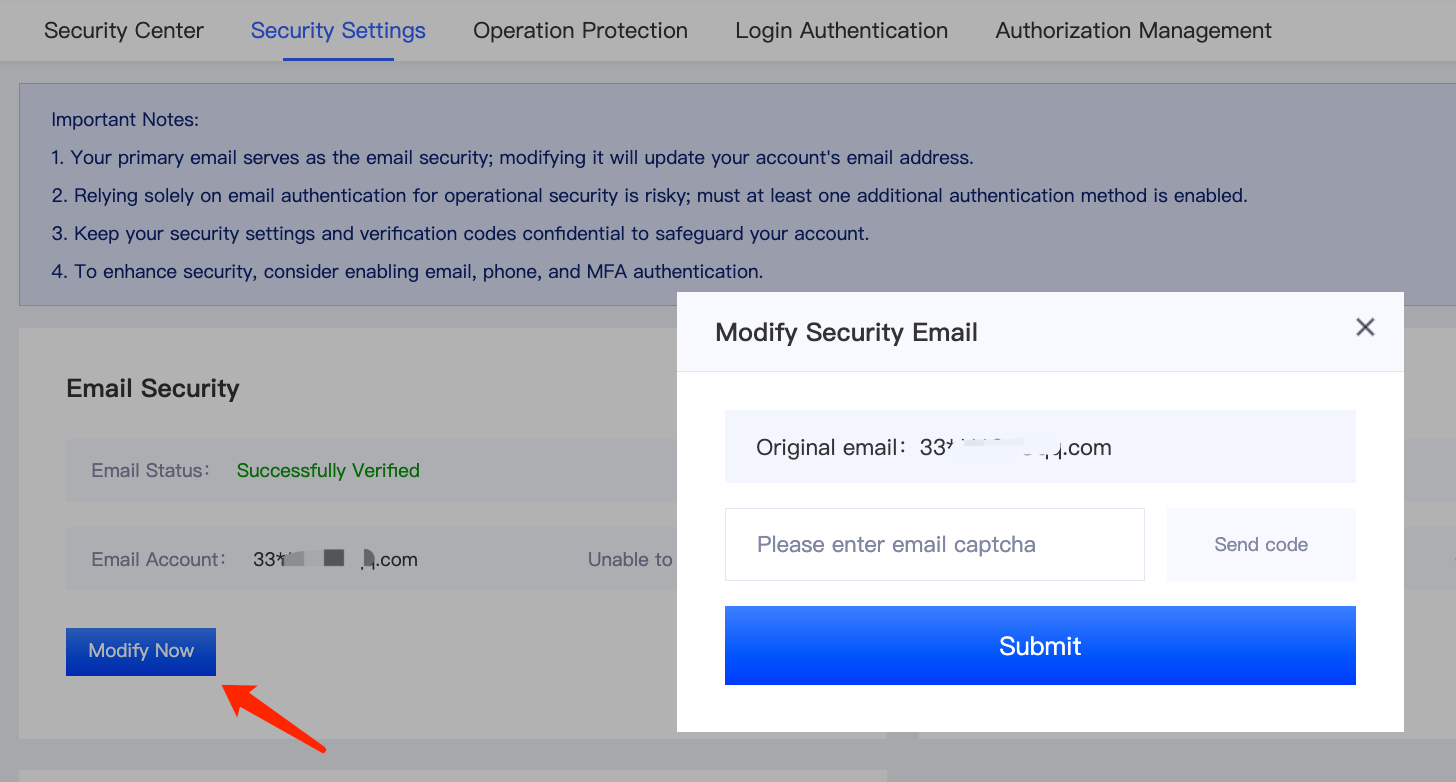
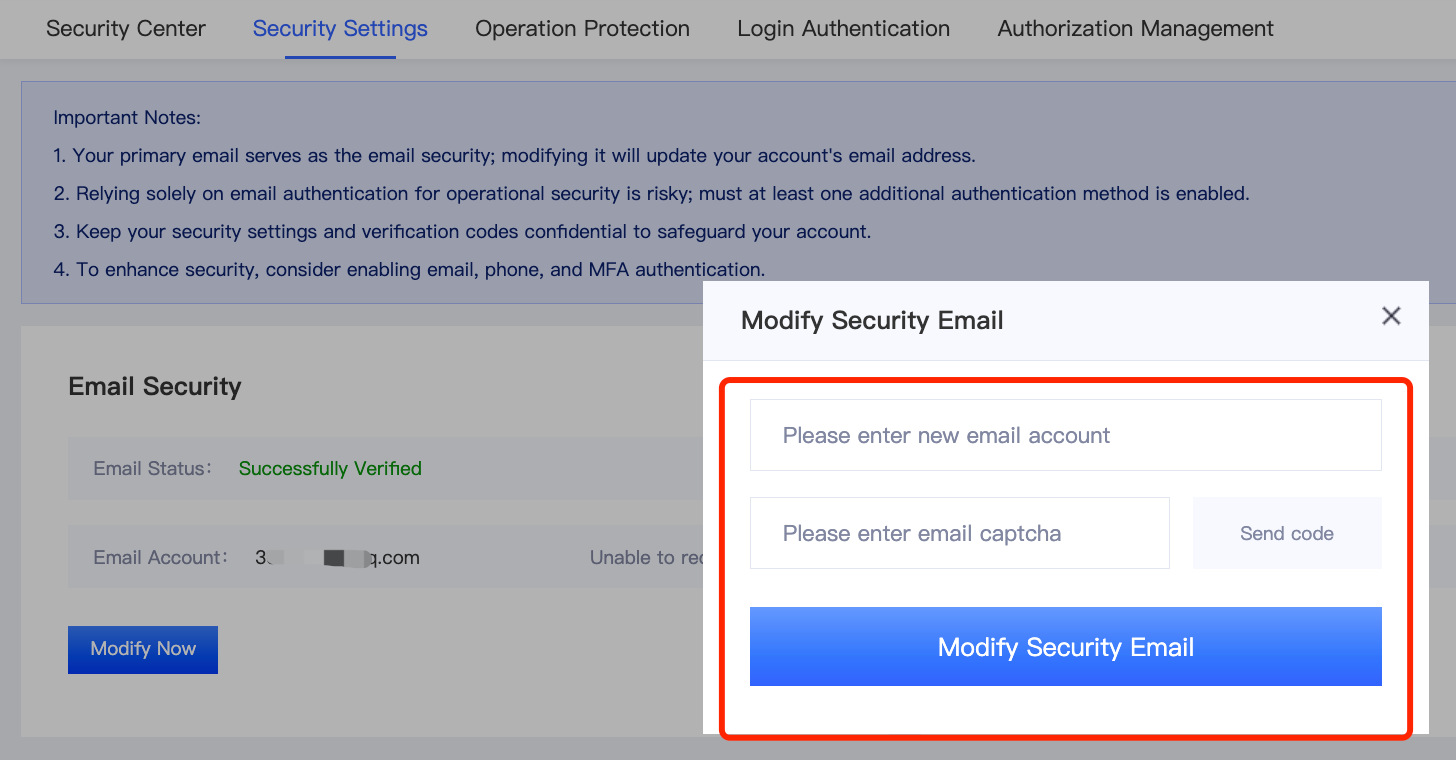
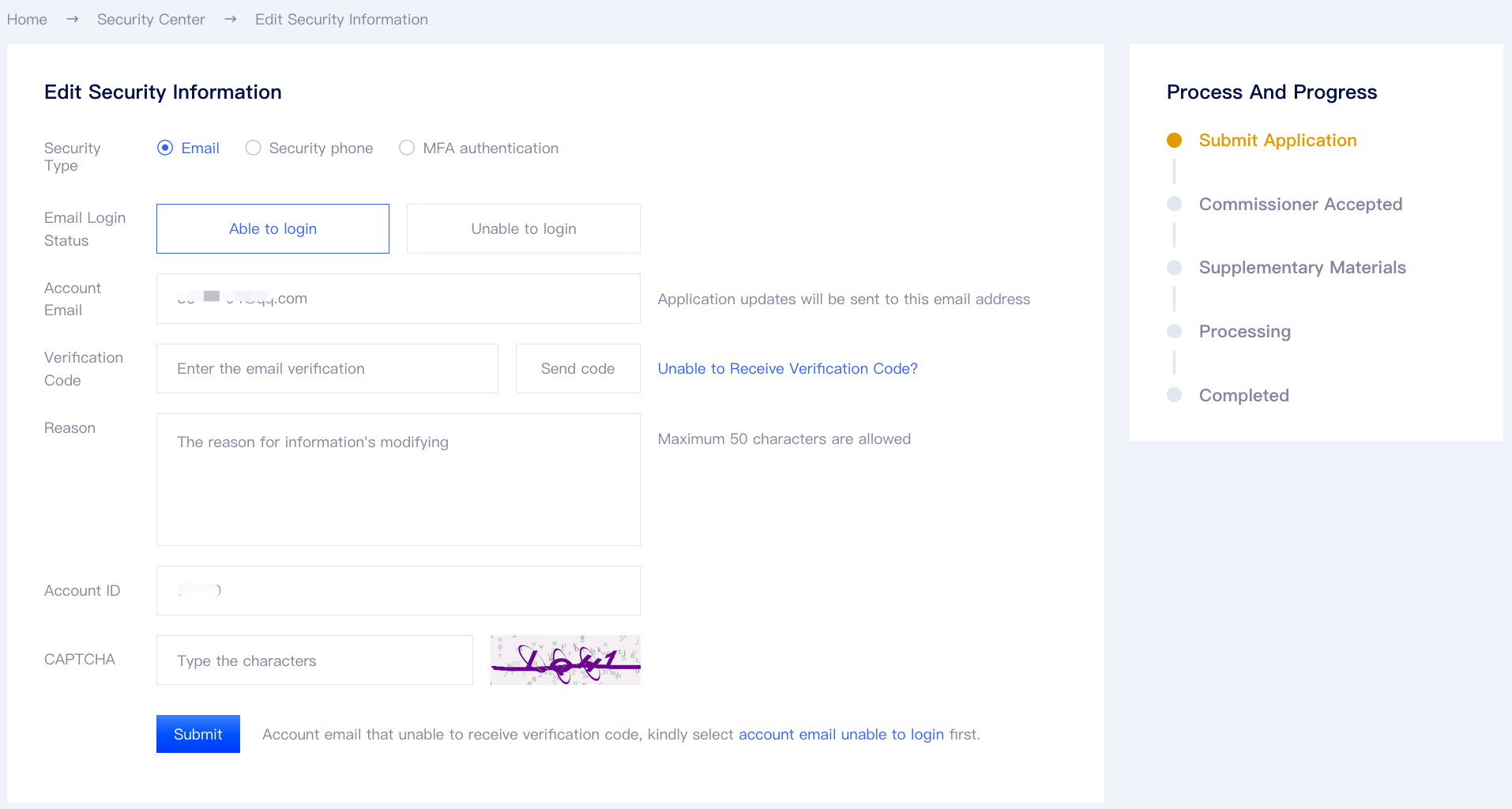
(2) When the security email is inaccessible: Please follow the on-screen instructions to navigate to Security Center > Update Security Information. Fill in the required account information, and our support team will assist you in updating your details.