Navigate to the "Control Panel" > "Financial Management" > "Recharge" > "Payment Settings" page, where you can activate or disable Manage Auto-Debit / Manage backup funding sources. The system defaults to having these features turned off, requiring you to manually activate them.
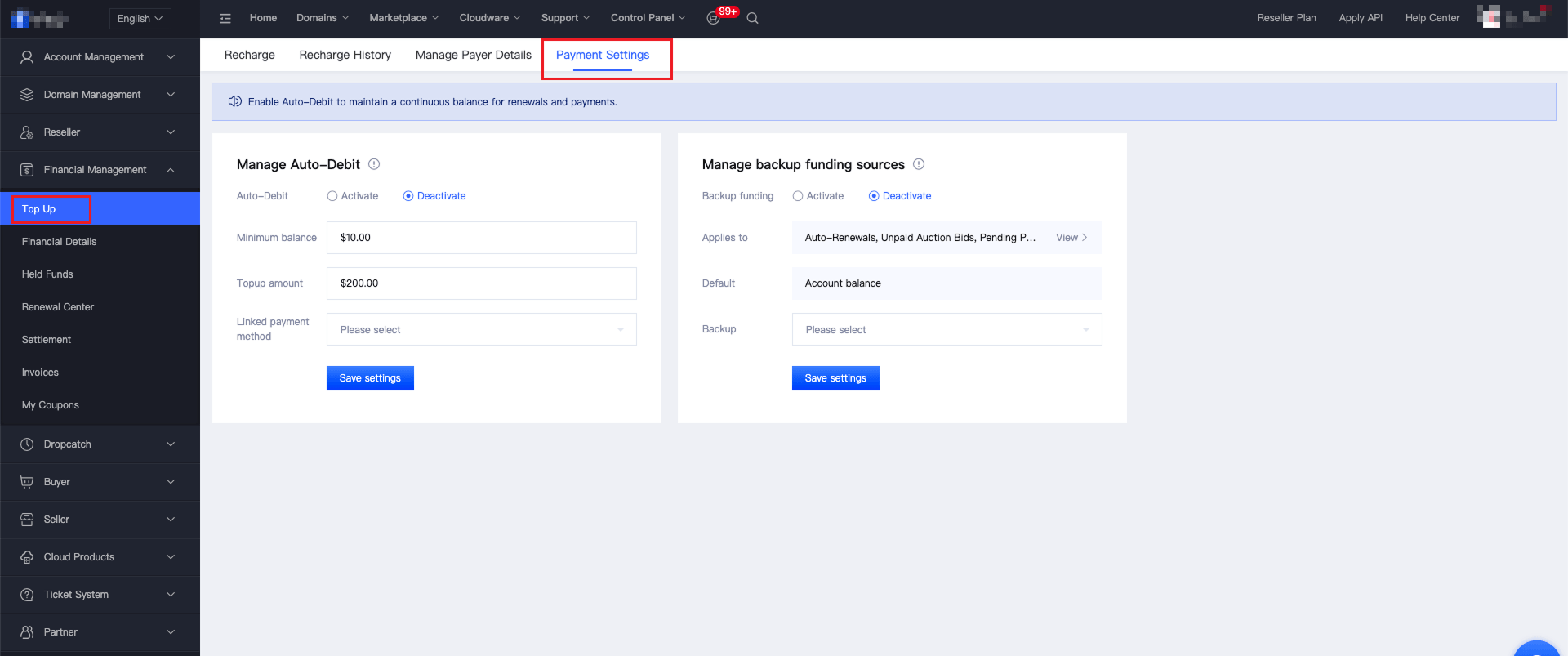
I. How to Activate Manage Auto-Debit
1、Click "Activate Auto-Debit" to set up the auto-debit rules you need. Click to select the drop-down option for "Linked payment method" (Currently, the supported types of bound contracted payment deduction are authorized credit cards and Alipay; more types are under development, and we will notify you as soon as they are officially launched, so please stay tuned). If you haven't added and bound a credit card / Alipay, you need to do so first.
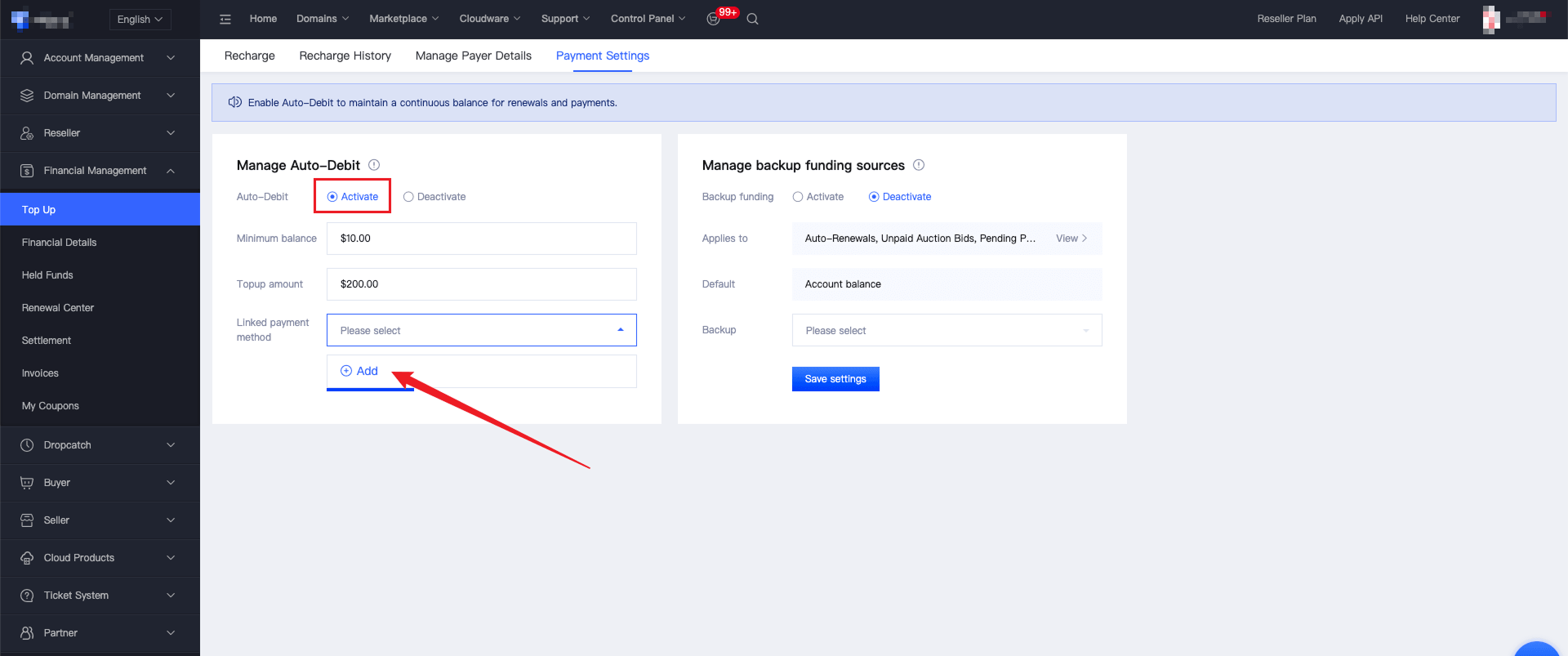
2、Click "Add", and select payment method:
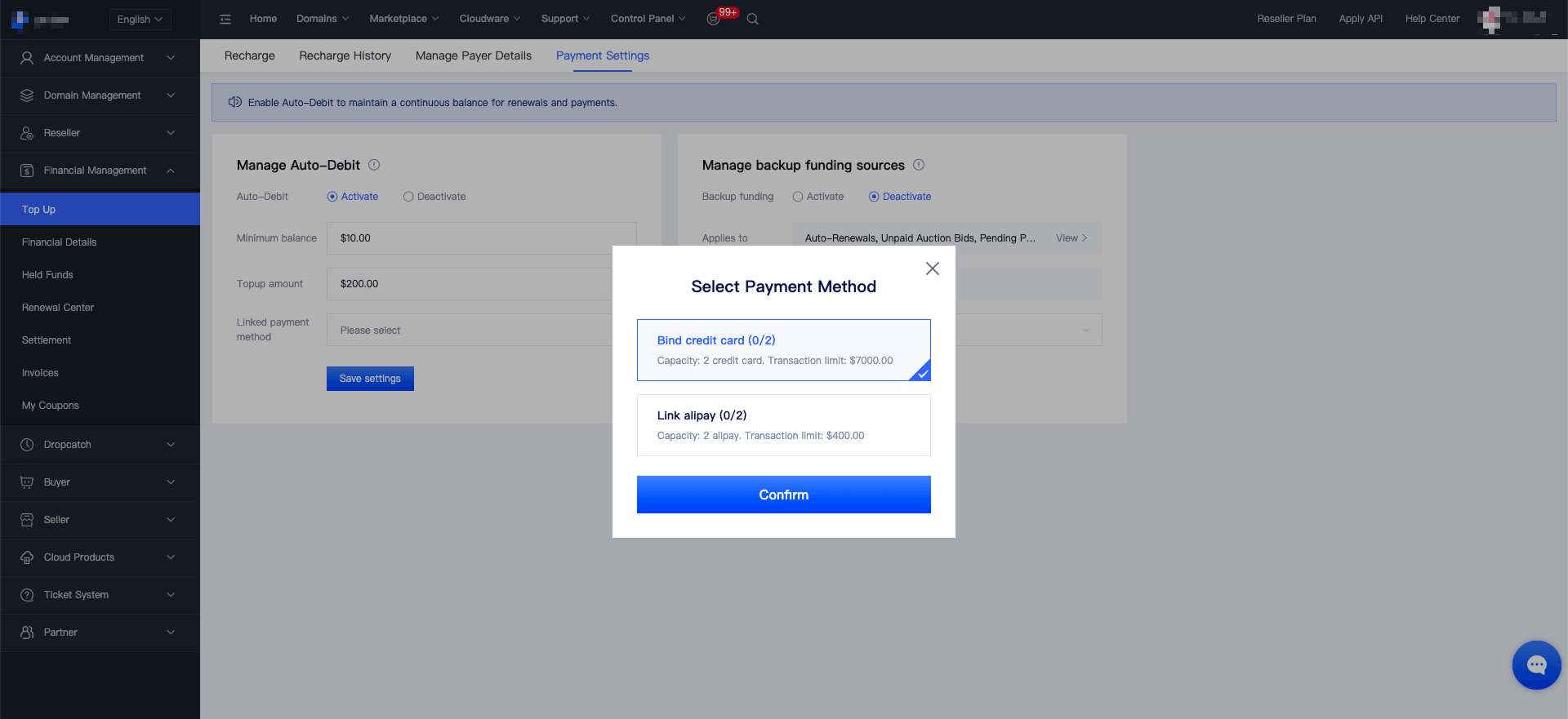
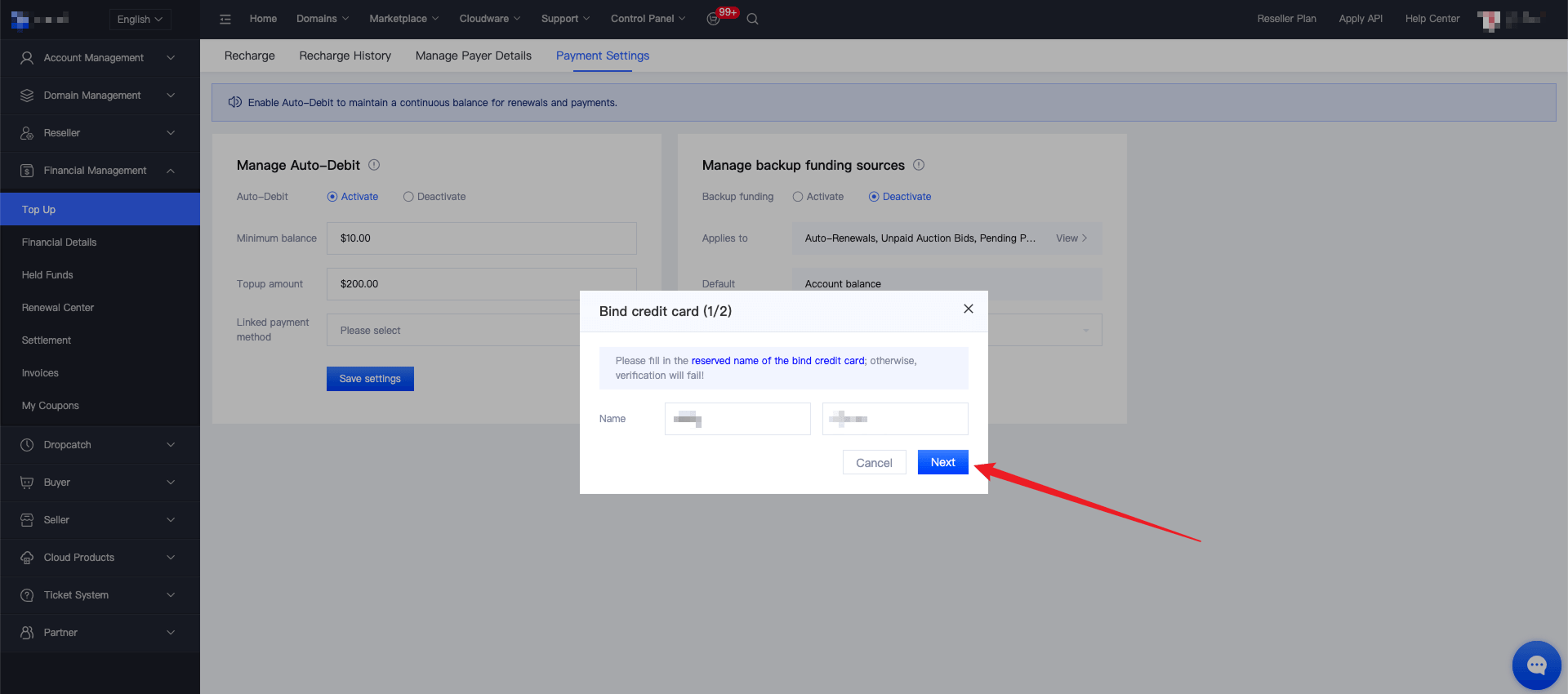
Bind a credit card: Follow the page instructions to complete the credit card authorization binding.
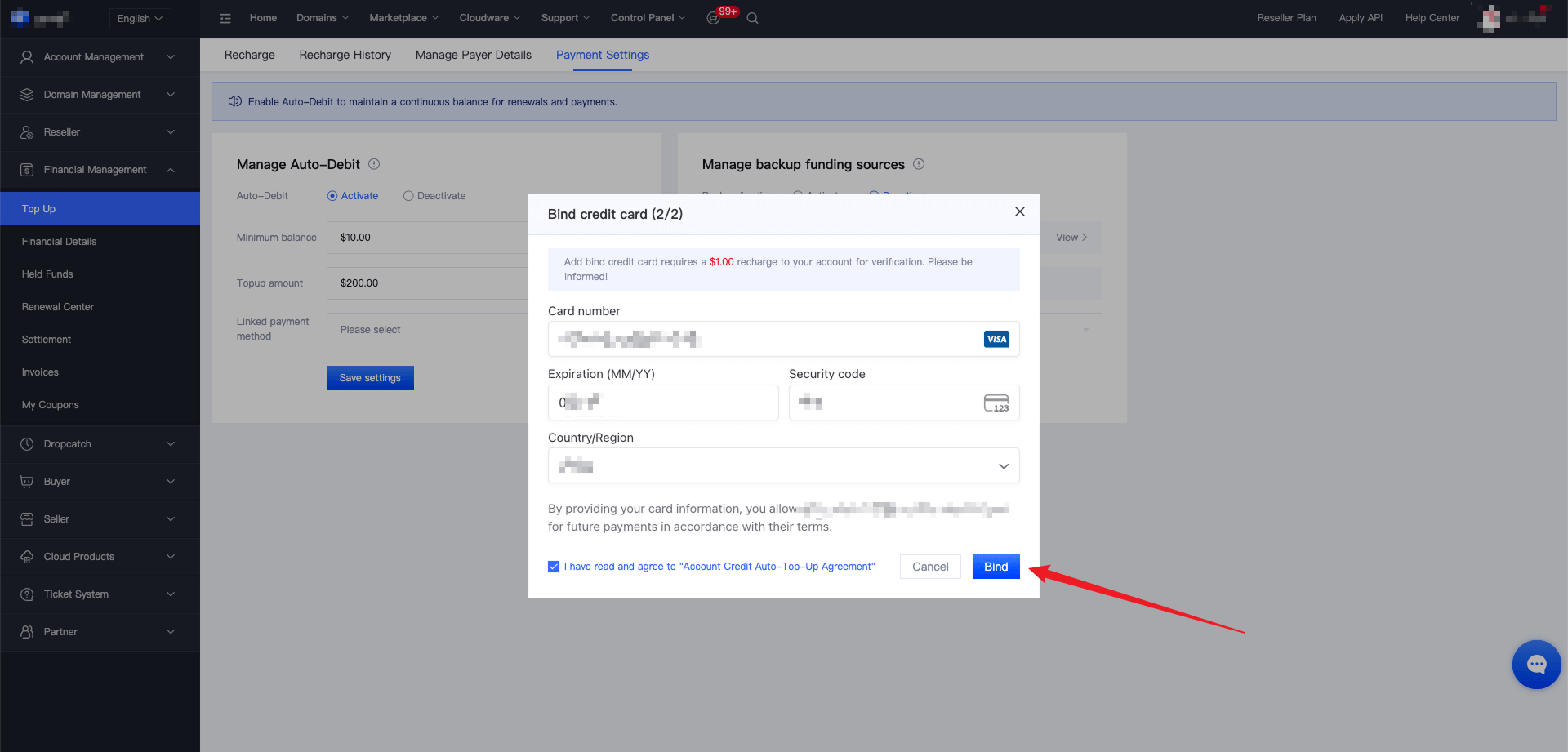
Bind Alipay: Follow the page instructions to complete the Alipay authorization binding.
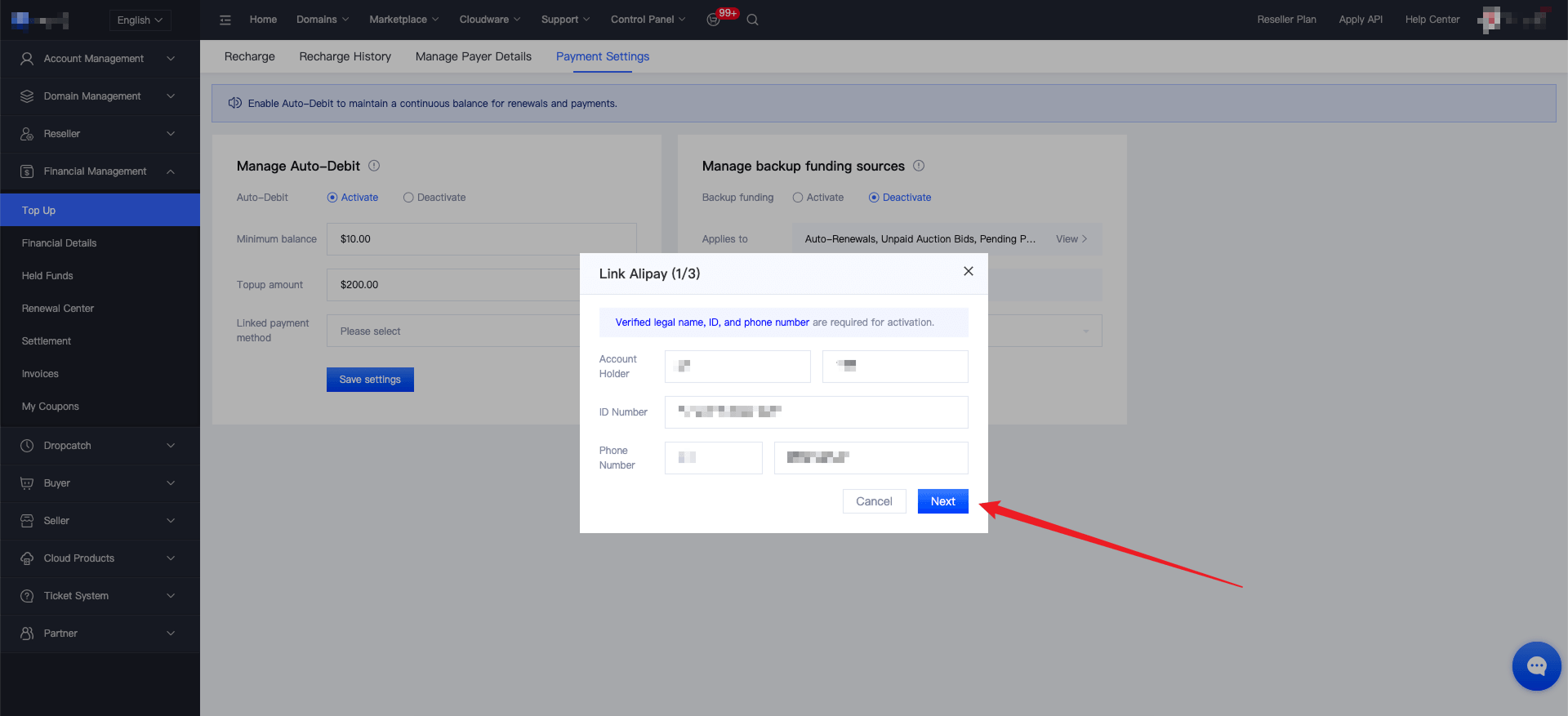
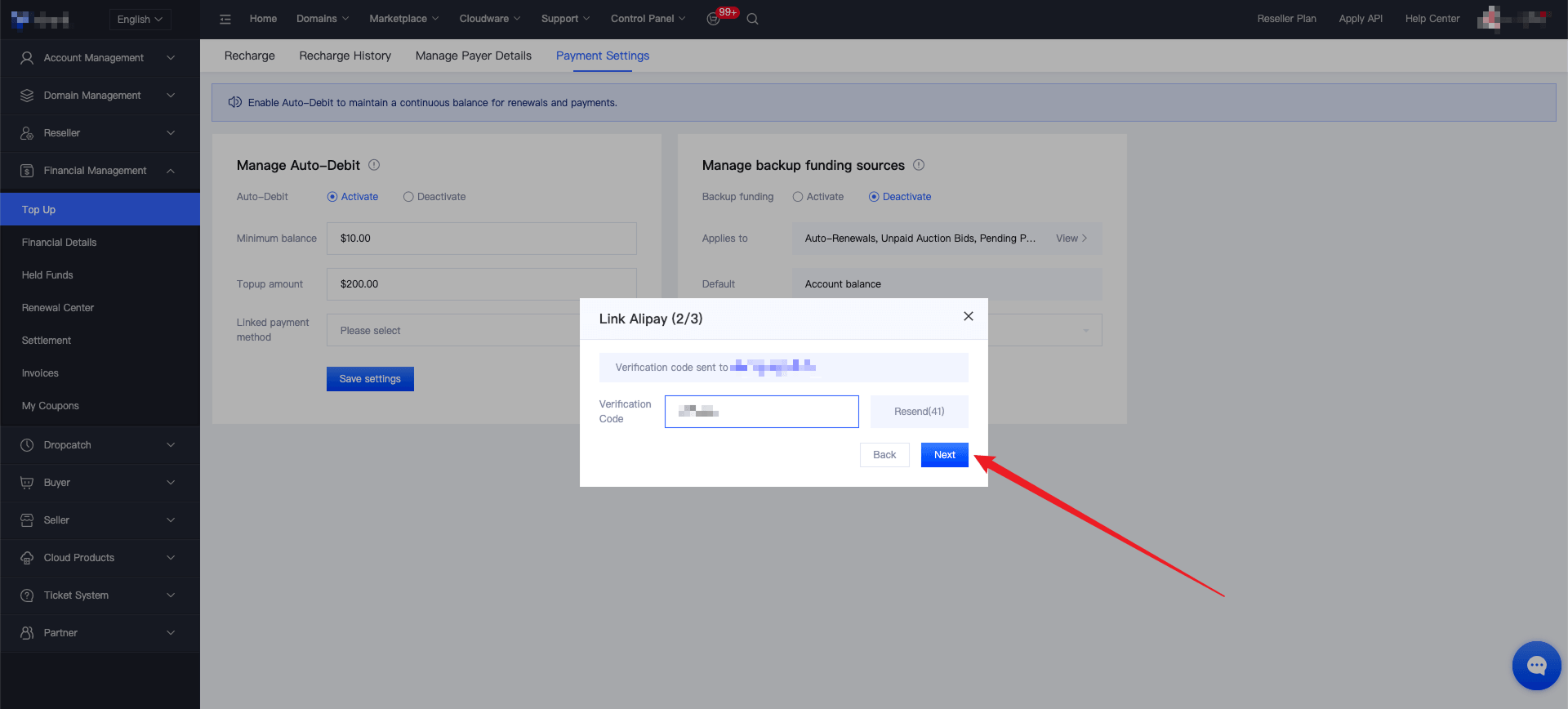
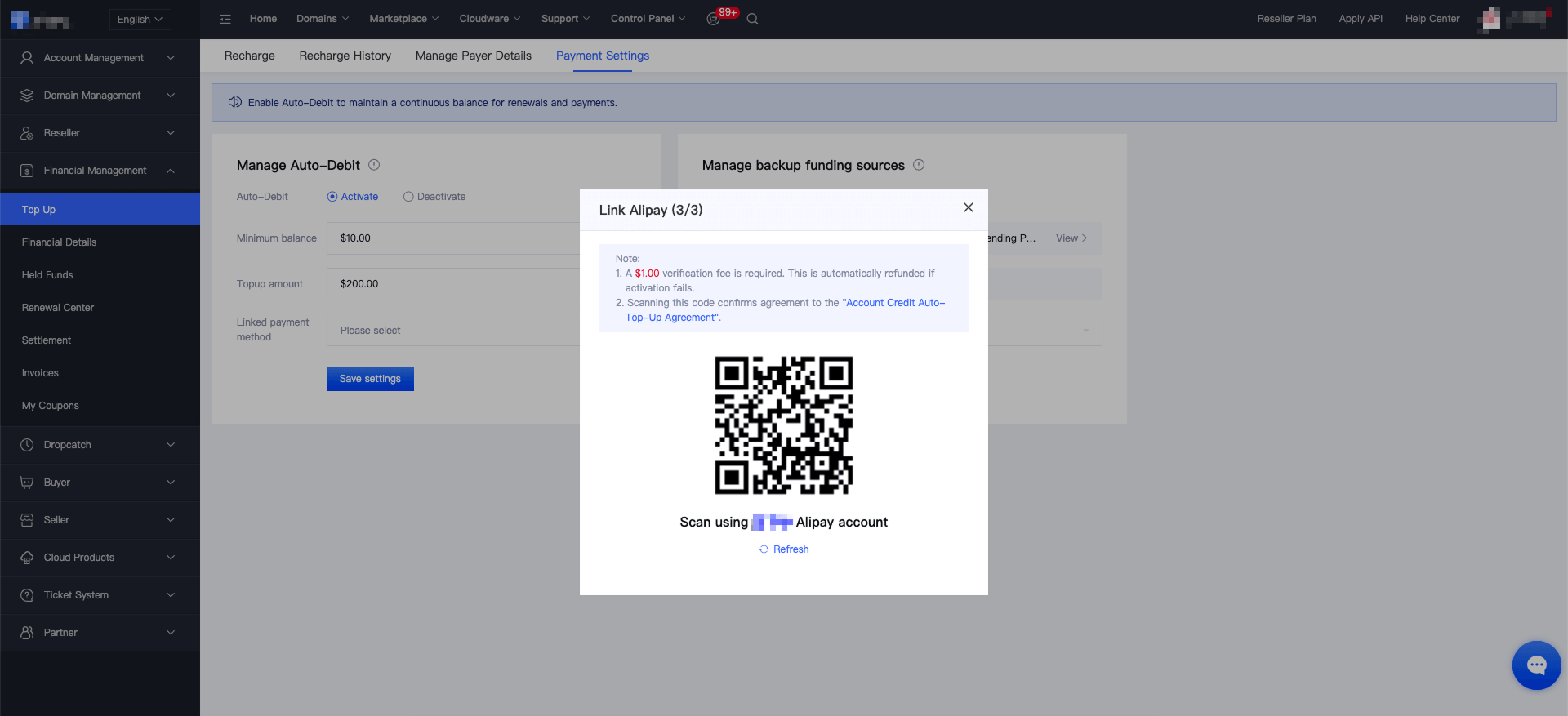
3、After completing the recharge verification, the binding will be finished. Click "Save Settings" to activate Manage Auto-Debit.
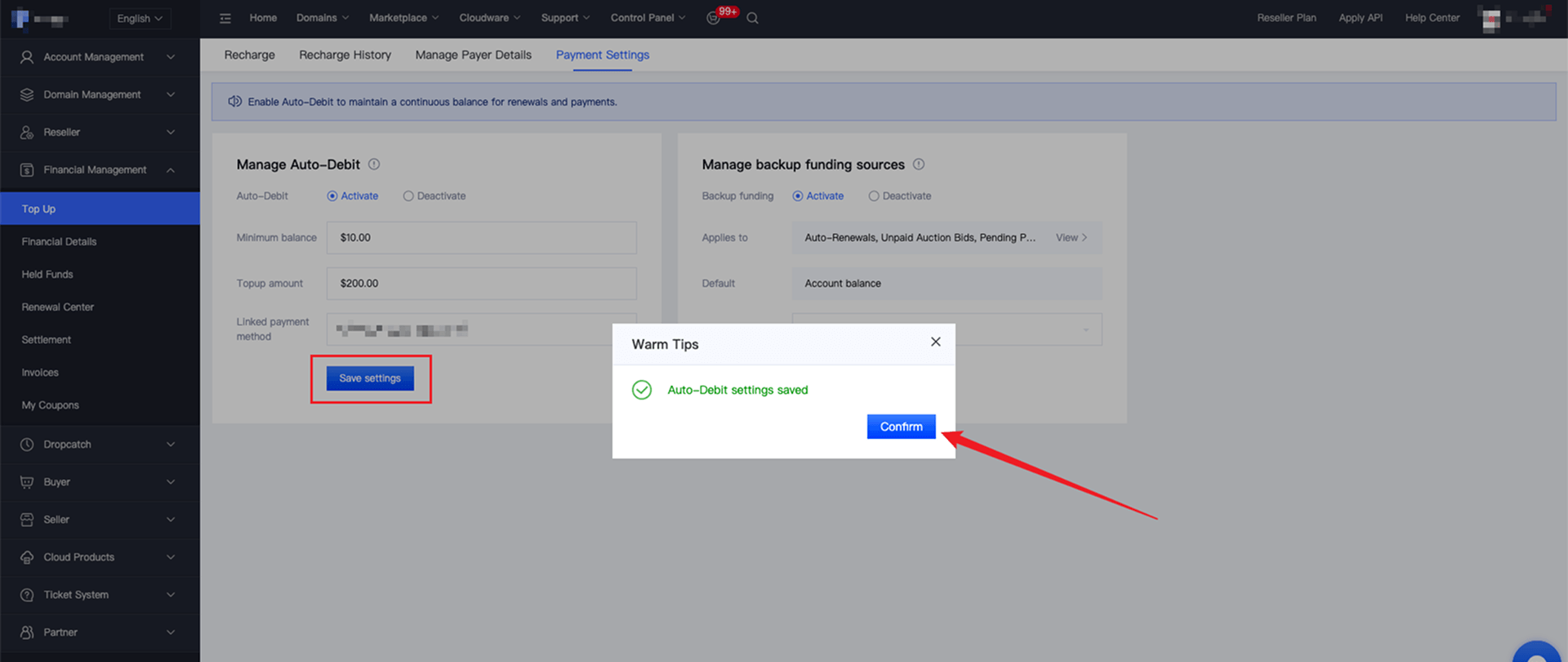
4、If you have already added and bound a credit card / Alipay in "Manage Rechargers", simply select the corresponding payment method from the drop-down options in "Linked payment method", and then click "Save Settings" to activate Manage Auto-Debit.
II. How to Activate Manage backup funding sources
1、Click "Activate backup funding sources" and select the drop-down option for "Backup Payment Method" (Currently, the bound contracted payment deduction type supports authorized credit cards and Alipay; more types are under development and will be notified to everyone as soon as they are officially launched, so please stay tuned.). If you haven't added and bound a credit card / Alipay, you need to do so first.
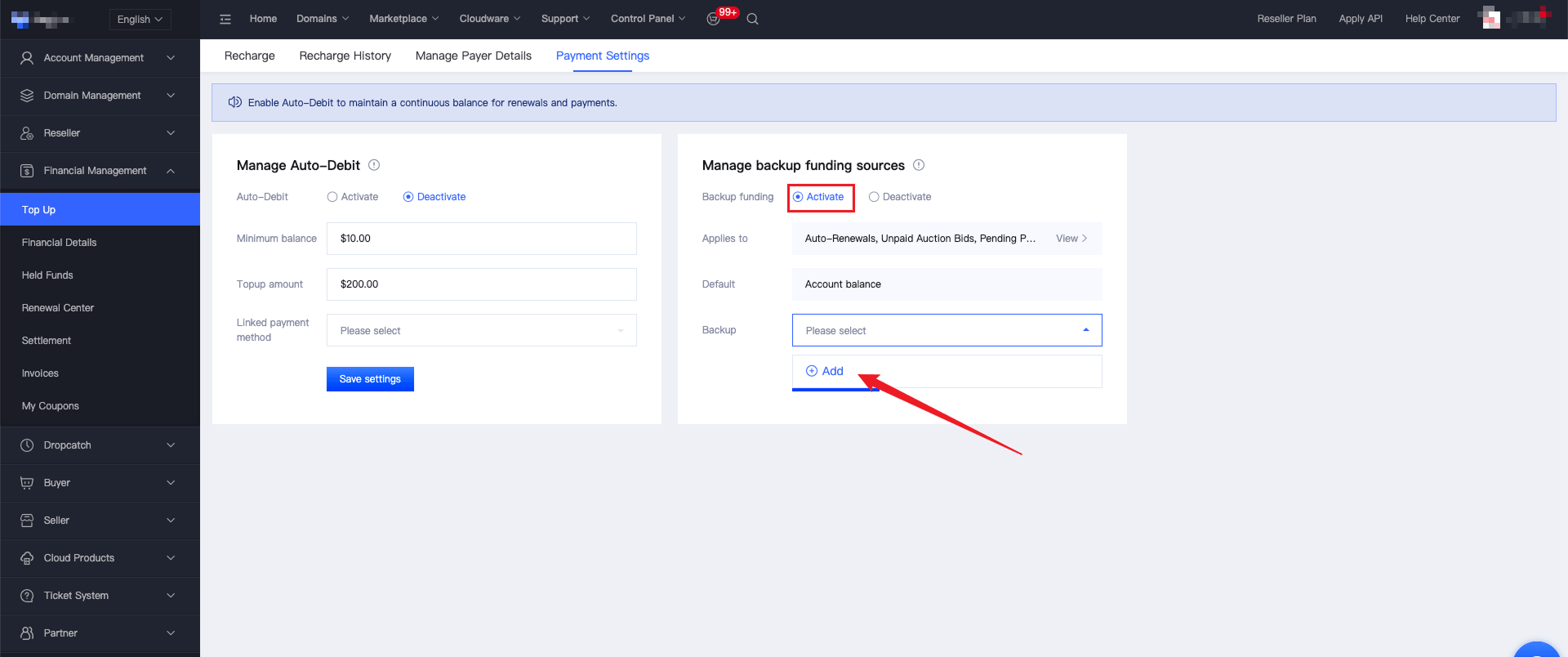
2、Click "Add", and select payment method:
Bind a credit card: Follow the page instructions to complete the credit card authorization binding.
Bind Alipay: Follow the page instructions to complete the Alipay authorization binding.
3、After completing the recharge verification, the binding process will be finished. Click "Save Settings" to activate Manage backup funding sources.
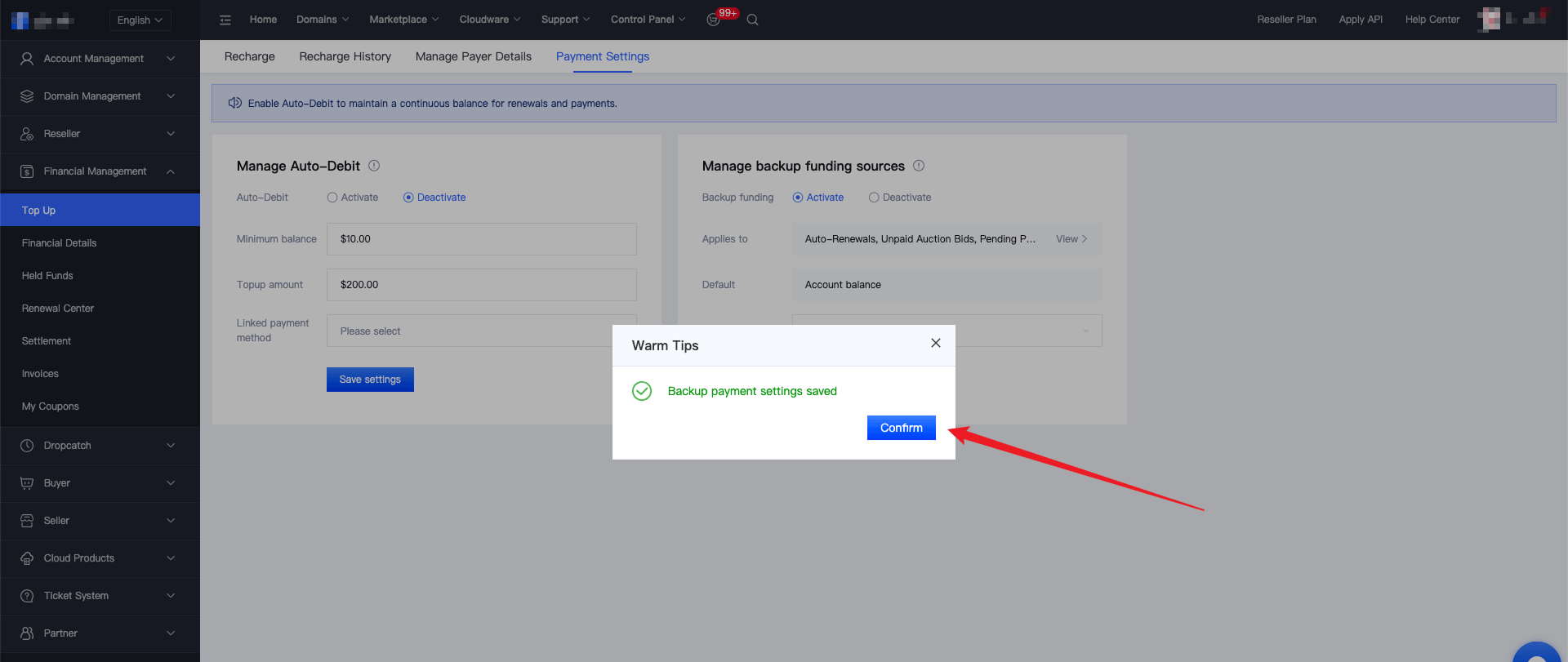
4、If you have already added and bound a credit card in "Manage Rechargers", simply select the bound credit card from the drop-down options under "Backup Payment Method" and click "Save Settings" to activate Manage backup funding sources.